Create and update lists
A list is an ordered shelf of values. Positions start at 0, which feels odd for about a week and then becomes second nature. append() adds, remove() takes away.

One variable holds one thing. A list holds the whole class.
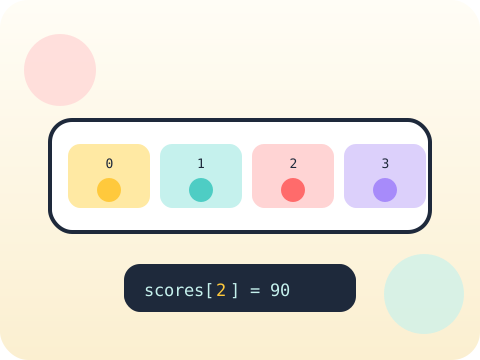
Lists let a program manage many values under one name — scores, names, tasks, anything. Combined with loops, they let a handful of lines handle five items or five thousand without changing shape.
Almost all real data arrives as a collection. Once a student can loop through a list confidently, the door to sorting, searching and data projects opens.
Three core ideas, each taught with worked examples and then practised until it feels obvious.
A list is an ordered shelf of values. Positions start at 0, which feels odd for about a week and then becomes second nature. append() adds, remove() takes away.
Looping through a list means visiting each item in turn and doing the same work on each — total up scores, print names, count how many pass.
Simple searching means walking the list and checking each item against what you are hunting for. Slow but honest — and the foundation of every faster method later.
Counting from 0 is not a quirk. It comes from how memory addresses work: the first item sits 0 steps from the start of the list.
“The last item of a 5-item list is at position 5.” It is at position 4. Off-by-one errors have their own name in the industry because they are so common.
Sessions 41–48 of the 72-session year, at two one-hour sessions per week.
Where this module fits, what you will build, and a hands-on starter that gets everyone curious about create and update lists.
Guided teaching on create and update lists, worked through together with the teacher.
Independent practice, small challenges and one deliberate mistake to diagnose.
Guided teaching on loop through items, building directly on the previous two sessions.
Applied tasks that combine create and update lists and loop through items in one piece of work.
Simple searching introduced and practised, completing the toolkit needed for the project.
Guided build session for the module project: Classroom task manager.
Finish, test against the checklist, present the work and explain the decisions behind it.
Every module ends with something the student built themselves and can demonstrate. This is the piece that goes into their portfolio and gets explained out loud at the end of session 48.
Make a homework tracker that lets you add tasks, tick them off, and print how many are left. Keep using it for a week and improve whatever annoys you.
Students finishing Module 6 can:
The vocabulary introduced here, in plain language:
6 quick questions drawn from this module — vocabulary, the project you build, and a myth-or-fact round. Every wrong answer explains itself, so a mistake still teaches you something.
Tell us your child’s class and what they enjoy. We will suggest the closest program fit—no pressure and no upfront payment.