Tables and records
Tables and records organise data into rows and columns with declared types, so the database itself rejects nonsense before it is stored.

Files are fine for a hundred records. Databases are built for a million.
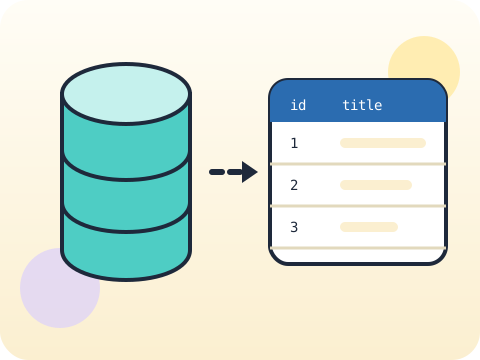
Students design tables, insert and query records, and learn why a database enforces structure. The four operations — create, read, update, delete — cover the data layer of virtually every application ever built.
Every app a student uses is backed by a database. Understanding tables and queries demystifies an enormous amount of technology at once.
Three core ideas, each taught with worked examples and then practised until it feels obvious.
Tables and records organise data into rows and columns with declared types, so the database itself rejects nonsense before it is stored.
CRUD is the complete set: create, read, update, delete. Every data feature in every app is some combination of those four.
Safe queries use parameters rather than glued-together strings — the habit that prevents SQL injection, one of the oldest attacks on the web.
SQLite, the database in this module, is the most widely deployed database engine on earth — it runs inside phones, browsers, cars and aircraft.
“A database is just a spreadsheet.” A spreadsheet stores values; a database enforces rules, relationships and integrity across millions of rows.
Sessions 41–48 of the 72-session year, at two one-hour sessions per week.
Where this module fits, what you will build, and a hands-on starter that gets everyone curious about tables and records.
Guided teaching on tables and records, worked through together with the teacher.
Independent practice, small challenges and one deliberate mistake to diagnose.
Guided teaching on crud concepts, building directly on the previous two sessions.
Applied tasks that combine tables and records and crud concepts in one piece of work.
Safe queries introduced and practised, completing the toolkit needed for the project.
Guided build session for the module project: Personal reading database.
Finish, test against the checklist, present the work and explain the decisions behind it.
Every module ends with something the student built themselves and can demonstrate. This is the piece that goes into their portfolio and gets explained out loud at the end of session 48.
Build a reading database, add twenty real books, then answer with queries: most-read author, average pages, and which month you read most.
Students finishing Module 6 can:
The vocabulary introduced here, in plain language:
6 quick questions drawn from this module — vocabulary, the project you build, and a myth-or-fact round. Every wrong answer explains itself, so a mistake still teaches you something.
Tell us your child’s class and what they enjoy. We will suggest the closest program fit—no pressure and no upfront payment.