Server routes
Server routes organise the application into pages and actions, keeping URLs meaningful and predictable.

Multiple pages, real data, actual users. This is software now.
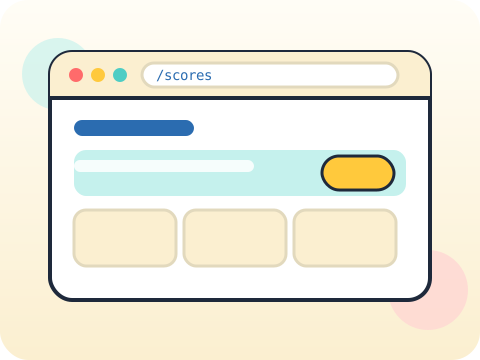
Students build a multi-page application with server-side routing, templates that share a common layout, form handling, and an understanding of how a stateless web remembers who you are.
A working web application is the most persuasive portfolio item a Class 10 student can hold, and it consolidates every earlier module at once.
Three core ideas, each taught with worked examples and then practised until it feels obvious.
Server routes organise the application into pages and actions, keeping URLs meaningful and predictable.
Templates with inheritance let one base layout supply the header, footer and navigation to every page.
Sessions solve a real puzzle: HTTP forgets you between requests, so a small identifier is used to recognise a returning visitor.
HTTP was deliberately designed to be stateless. Cookies and sessions were invented afterwards to work around that decision.
“Sessions are secure by default.” A session identifier is a key. If it can be read or guessed, the account can be taken.
Sessions 41–48 of the 72-session year, at two one-hour sessions per week.
Where this module fits, what you will build, and a hands-on starter that gets everyone curious about server routes.
Guided teaching on server routes, worked through together with the teacher.
Independent practice, small challenges and one deliberate mistake to diagnose.
Guided teaching on templates, building directly on the previous two sessions.
Applied tasks that combine server routes and templates in one piece of work.
Forms and sessions concept introduced and practised, completing the toolkit needed for the project.
Guided build session for the module project: Multi-page Python web app.
Finish, test against the checklist, present the work and explain the decisions behind it.
Every module ends with something the student built themselves and can demonstrate. This is the piece that goes into their portfolio and gets explained out loud at the end of session 48.
Add a login to your web app, then think carefully about what a logged-out visitor can still reach by typing the URL directly.
Students finishing Module 6 can:
The vocabulary introduced here, in plain language:
6 quick questions drawn from this module — vocabulary, the project you build, and a myth-or-fact round. Every wrong answer explains itself, so a mistake still teaches you something.
Tell us your child’s class and what they enjoy. We will suggest the closest program fit—no pressure and no upfront payment.