Core syntax
Core syntax is revisited at pace and under time pressure, so recall becomes automatic rather than effortful.

Board year. Time to make every habit count.
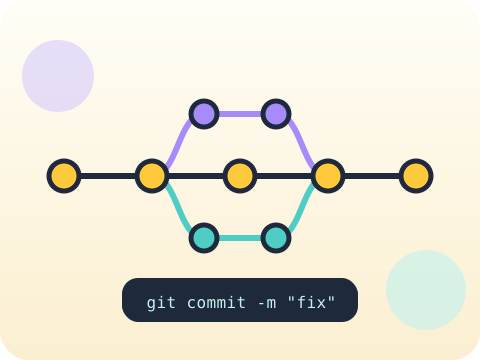
A rapid consolidation of core Python at full speed, plus the two habits that define working developers: version control for tracking change, and code review for catching what the author cannot see.
Class 10 is the launchpad into serious computing study. Confidence in the fundamentals leaves room to think about design instead of syntax.
Three core ideas, each taught with worked examples and then practised until it feels obvious.
Core syntax is revisited at pace and under time pressure, so recall becomes automatic rather than effortful.
Git concepts — commit, branch, history — give a project an undo button that spans months, and a record of why each change happened.
Code review means reading someone else’s code and asking useful questions. Reviewing teaches at least as much as being reviewed.
Git was written by Linus Torvalds in about ten days in 2005 because no existing tool could handle the Linux kernel’s scale.
“Commit when the feature is finished.” Small, frequent commits with honest messages are far more useful when something breaks.
Sessions 1–8 of the 72-session year, at two one-hour sessions per week.
Where this module fits, what you will build, and a hands-on starter that gets everyone curious about core syntax.
Guided teaching on core syntax, worked through together with the teacher.
Independent practice, small challenges and one deliberate mistake to diagnose.
Guided teaching on git concepts, building directly on the previous two sessions.
Applied tasks that combine core syntax and git concepts in one piece of work.
Code review introduced and practised, completing the toolkit needed for the project.
Guided build session for the module project: Refactored multi-file utility.
Finish, test against the checklist, present the work and explain the decisions behind it.
Every module ends with something the student built themselves and can demonstrate. This is the piece that goes into their portfolio and gets explained out loud at the end of session 8.
Refactor an old multi-file project with commits at every step, then read your own history back and see whether it tells a clear story.
Students finishing Module 1 can:
The vocabulary introduced here, in plain language:
6 quick questions drawn from this module — vocabulary, the project you build, and a myth-or-fact round. Every wrong answer explains itself, so a mistake still teaches you something.
Tell us your child’s class and what they enjoy. We will suggest the closest program fit—no pressure and no upfront payment.