Routes and templates
Routes connect a URL to a function. Visiting /scores runs the function that returns the scores page.

Same Python. New audience: anyone with a browser.
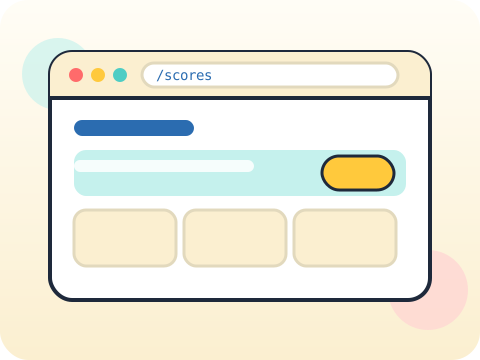
A web framework maps URLs to Python functions. Students build routes, render templates with real data and accept form submissions — with the firm rule that everything a user sends must be validated.
A web app is shareable. That single fact changes how seriously students treat their own projects.
Three core ideas, each taught with worked examples and then practised until it feels obvious.
Routes connect a URL to a function. Visiting /scores runs the function that returns the scores page.
Templates are HTML with placeholders that Python fills in, keeping design and logic separate rather than tangled together.
Forms and validation: a form sends data to your server, and your server must never trust it. Check type, length and range before use.
Flask, the framework most schools start with, was released on 1 April 2010 as a joke. The joke turned out to be genuinely excellent software.
“Checking in the browser is enough.” Browser checks are for convenience. Anyone can bypass them, so the server must check again.
Sessions 49–56 of the 72-session year, at two one-hour sessions per week.
Where this module fits, what you will build, and a hands-on starter that gets everyone curious about routes and templates.
Guided teaching on routes and templates, worked through together with the teacher.
Independent practice, small challenges and one deliberate mistake to diagnose.
Guided teaching on forms, building directly on the previous two sessions.
Applied tasks that combine routes and templates and forms in one piece of work.
Validation introduced and practised, completing the toolkit needed for the project.
Guided build session for the module project: Simple interactive web tool.
Finish, test against the checklist, present the work and explain the decisions behind it.
Every module ends with something the student built themselves and can demonstrate. This is the piece that goes into their portfolio and gets explained out loud at the end of session 56.
Build a two-page web tool with a form, then open it on your phone using your computer’s local network address.
Students finishing Module 7 can:
The vocabulary introduced here, in plain language:
6 quick questions drawn from this module — vocabulary, the project you build, and a myth-or-fact round. Every wrong answer explains itself, so a mistake still teaches you something.
Tell us your child’s class and what they enjoy. We will suggest the closest program fit—no pressure and no upfront payment.