Coordinates
Coordinates locate the turtle on a grid — x across, y up. Moving to a point is the same skill used in maps, graphs and game design.

Give the computer a pen, tell it where to walk, and watch geometry turn into art.
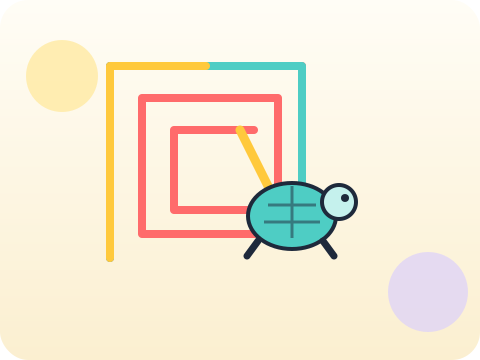
Turtle graphics turns code into something visible on screen. Every wrong angle is instantly obvious, which makes it the fastest feedback loop in the whole beginner curriculum — and quietly teaches coordinates, angles and repetition at the same time.
Visual output makes debugging intuitive. A child who cannot yet read an error message can absolutely see that the square came out as a triangle.
Three core ideas, each taught with worked examples and then practised until it feels obvious.
Coordinates locate the turtle on a grid — x across, y up. Moving to a point is the same skill used in maps, graphs and game design.
Angles decide direction. A square needs four 90° turns; a pentagon needs five 72° turns. The pattern 360 ÷ sides is discovered, not told.
Procedural drawing means describing a shape as instructions rather than tracing it. Once the instructions live in a loop or a function, one line can draw fifty shapes.
Turtle graphics comes from the Logo language of 1967, where children steered a real robot turtle that dragged a pen across paper on the classroom floor.
“Turtle is a baby toy, not real coding.” The loops, functions and angle maths behind a spiral are exactly the ones used in game and animation engines.
Sessions 49–56 of the 72-session year, at two one-hour sessions per week.
Where this module fits, what you will build, and a hands-on starter that gets everyone curious about coordinates.
Guided teaching on coordinates, worked through together with the teacher.
Independent practice, small challenges and one deliberate mistake to diagnose.
Guided teaching on angles, building directly on the previous two sessions.
Applied tasks that combine coordinates and angles in one piece of work.
Procedural drawing introduced and practised, completing the toolkit needed for the project.
Guided build session for the module project: Generative geometry art.
Finish, test against the checklist, present the work and explain the decisions behind it.
Every module ends with something the student built themselves and can demonstrate. This is the piece that goes into their portfolio and gets explained out loud at the end of session 56.
Draw a shape with n sides using a single loop, then wrap it in a function and call it with n from 3 to 12. Watch the polygon approach a circle.
Students finishing Module 7 can:
The vocabulary introduced here, in plain language:
6 quick questions drawn from this module — vocabulary, the project you build, and a myth-or-fact round. Every wrong answer explains itself, so a mistake still teaches you something.
Tell us your child’s class and what they enjoy. We will suggest the closest program fit—no pressure and no upfront payment.