Reusable code
Reusable code means writing the logic once and calling it by name. If the logic later turns out to be wrong, there is one place to fix instead of nine.

A function is a spell you write once and can then cast whenever you like.
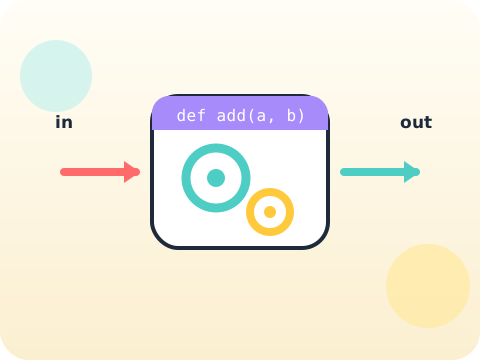
Functions let students wrap a useful chunk of work in a name, hand it information, and get an answer back. Programs stop being one long scroll and start being a set of named parts that can be built and tested separately.
This is the first real engineering habit: solve a problem once, name it well, and reuse it. It is also the skill that makes larger projects possible at all.
Three core ideas, each taught with worked examples and then practised until it feels obvious.
Reusable code means writing the logic once and calling it by name. If the logic later turns out to be wrong, there is one place to fix instead of nine.
Parameters are the slots a function leaves open for information. greet("Aarav") and greet("Meera") run the same code with different inputs.
return hands a value back to whoever called the function, so the answer can be stored, printed or fed into the next calculation. Printing and returning are not the same thing.
Professional codebases are judged less on cleverness than on naming. A function called calculate_total_price is worth more than one called ctp.
“print and return do the same job.” print shows a value to a human; return gives it back to the program. Mixing them up breaks maths chains silently.
Sessions 33–40 of the 72-session year, at two one-hour sessions per week.
Where this module fits, what you will build, and a hands-on starter that gets everyone curious about reusable code.
Guided teaching on reusable code, worked through together with the teacher.
Independent practice, small challenges and one deliberate mistake to diagnose.
Guided teaching on parameters, building directly on the previous two sessions.
Applied tasks that combine reusable code and parameters in one piece of work.
Return values introduced and practised, completing the toolkit needed for the project.
Guided build session for the module project: Mini calculator toolkit.
Finish, test against the checklist, present the work and explain the decisions behind it.
Every module ends with something the student built themselves and can demonstrate. This is the piece that goes into their portfolio and gets explained out loud at the end of session 40.
Build a small toolkit of four functions — area of a rectangle, average of three numbers, Celsius to Fahrenheit, and a percentage — then use them all in one menu program.
Students finishing Module 5 can:
The vocabulary introduced here, in plain language:
6 quick questions drawn from this module — vocabulary, the project you build, and a myth-or-fact round. Every wrong answer explains itself, so a mistake still teaches you something.
Tell us your child’s class and what they enjoy. We will suggest the closest program fit—no pressure and no upfront payment.