Function design
Function design means one job per function, a name that says what it does, and no surprises hidden inside it.

Stop rewriting your best code. Package it and import it instead.
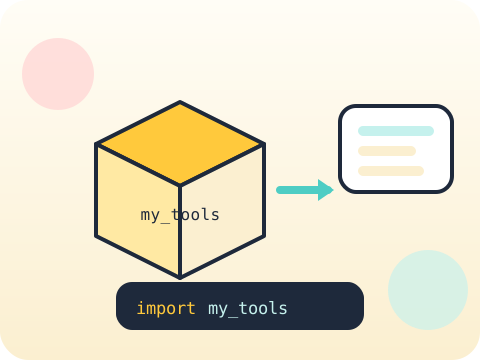
Students design functions with clear responsibilities, then move them into their own module file and import them into new projects — the exact mechanism behind every Python library in existence.
Understanding import demystifies the whole ecosystem. A library stops being magic and becomes somebody else’s functions in a file.
Three core ideas, each taught with worked examples and then practised until it feels obvious.
Function design means one job per function, a name that says what it does, and no surprises hidden inside it.
Imports pull in code from elsewhere — the standard library, an installed package, or a file you wrote yesterday. All three work the same way.
Building a module means saving related functions in one .py file and importing it. Your code becomes a tool other projects can use.
Typing “import this” into Python prints The Zen of Python — twenty design principles hidden inside the language as an easter egg since 2004.
“Libraries are made by companies.” Most are written by individuals, in ordinary .py files, and shared exactly the way students do it here.
Sessions 17–24 of the 72-session year, at two one-hour sessions per week.
Where this module fits, what you will build, and a hands-on starter that gets everyone curious about function design.
Guided teaching on function design, worked through together with the teacher.
Independent practice, small challenges and one deliberate mistake to diagnose.
Guided teaching on imports, building directly on the previous two sessions.
Applied tasks that combine function design and imports in one piece of work.
Build a module introduced and practised, completing the toolkit needed for the project.
Guided build session for the module project: Personal utility package.
Finish, test against the checklist, present the work and explain the decisions behind it.
Every module ends with something the student built themselves and can demonstrate. This is the piece that goes into their portfolio and gets explained out loud at the end of session 24.
Collect your five most-used helper functions into my_tools.py, then start a fresh project that begins with "import my_tools".
Students finishing Module 3 can:
The vocabulary introduced here, in plain language:
6 quick questions drawn from this module — vocabulary, the project you build, and a myth-or-fact round. Every wrong answer explains itself, so a mistake still teaches you something.
Tell us your child’s class and what they enjoy. We will suggest the closest program fit—no pressure and no upfront payment.