Events
Events are things that happen — a key pressed, a mouse clicked, a window closed. The program listens for them each frame rather than waiting.

From typed commands to something you can actually play with a keyboard.
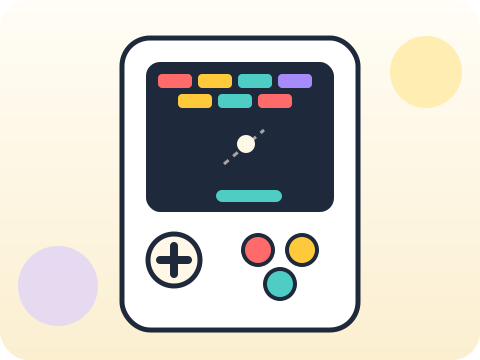
A graphical game runs on a loop that never stops: read what the player did, update the world, draw the new frame, repeat — around sixty times a second.
The game loop is the same architecture behind animation, robotics and real-time systems. Seeing it once explains a whole category of software.
Three core ideas, each taught with worked examples and then practised until it feels obvious.
Events are things that happen — a key pressed, a mouse clicked, a window closed. The program listens for them each frame rather than waiting.
Collision logic asks whether two rectangles overlap. Almost every hit, catch and bump in 2D gaming is that one check.
The game loop ties it together: input, update, draw, repeat. Anything that happens in a game happens inside that cycle.
Games measure work in frames. At 60 frames per second, everything — physics, input, drawing — must finish in under 17 milliseconds.
“Use time.sleep() to slow the game down.” Sleep freezes everything, including input. Games control speed with a clock and a frame rate instead.
Sessions 57–64 of the 72-session year, at two one-hour sessions per week.
Where this module fits, what you will build, and a hands-on starter that gets everyone curious about events.
Guided teaching on events, worked through together with the teacher.
Independent practice, small challenges and one deliberate mistake to diagnose.
Guided teaching on collision logic, building directly on the previous two sessions.
Applied tasks that combine events and collision logic in one piece of work.
Game loop introduced and practised, completing the toolkit needed for the project.
Guided build session for the module project: Playable arcade-style game.
Finish, test against the checklist, present the work and explain the decisions behind it.
Every module ends with something the student built themselves and can demonstrate. This is the piece that goes into their portfolio and gets explained out loud at the end of session 64.
Add one feature that changes how your game feels rather than what it does — a screen shake, a particle burst, or a rising difficulty curve.
Students finishing Module 8 can:
The vocabulary introduced here, in plain language:
6 quick questions drawn from this module — vocabulary, the project you build, and a myth-or-fact round. Every wrong answer explains itself, so a mistake still teaches you something.
Tell us your child’s class and what they enjoy. We will suggest the closest program fit—no pressure and no upfront payment.