Inputs and outputs
Inputs and outputs define the boundaries: what starts the process, and what counts as done.

If you do the same fiddly task every week, that is a job for a machine.
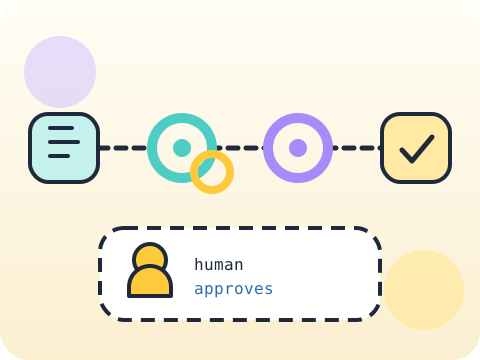
Students map a repetitive task as inputs, steps and outputs, then build a no-code automation for it — discovering that describing a process precisely is harder than automating it.
Automation thinking is systems thinking. It also gives students back real time in their own week.
Three core ideas, each taught with worked examples and then practised until it feels obvious.
Inputs and outputs define the boundaries: what starts the process, and what counts as done.
Repeatable steps must be written precisely enough that someone else could follow them identically.
No-code workflow maps connect triggers and actions visually, showing the logic without writing a program.
Automation projects most often fail at the mapping stage, not the building stage. Nobody had written down what the process actually was.
“Automate everything.” Automating a broken or rare process just makes the mess faster. Fix and prioritise first.
Sessions 49–56 of the 72-session year, at two one-hour sessions per week.
Where this module fits, what you will build, and a hands-on starter that gets everyone curious about inputs and outputs.
Guided teaching on inputs and outputs, worked through together with the teacher.
Independent practice, small challenges and one deliberate mistake to diagnose.
Guided teaching on repeatable steps, building directly on the previous two sessions.
Applied tasks that combine inputs and outputs and repeatable steps in one piece of work.
No-code workflow maps introduced and practised, completing the toolkit needed for the project.
Guided build session for the module project: Student productivity automation prototype.
Finish, test against the checklist, present the work and explain the decisions behind it.
Every module ends with something the student built themselves and can demonstrate. This is the piece that goes into their portfolio and gets explained out loud at the end of session 56.
Track your week and find the task you repeat most. Map it fully on paper before building anything.
Students finishing Module 7 can:
The vocabulary introduced here, in plain language:
6 quick questions drawn from this module — vocabulary, the project you build, and a myth-or-fact round. Every wrong answer explains itself, so a mistake still teaches you something.
Tell us your child’s class and what they enjoy. We will suggest the closest program fit—no pressure and no upfront payment.