Nested conditions
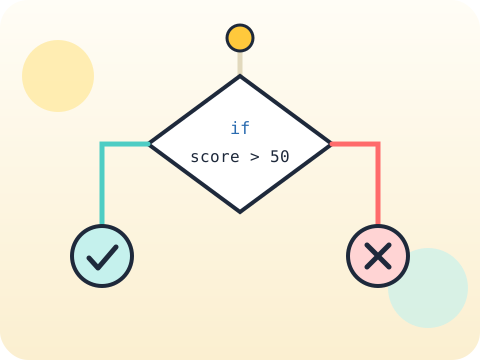
Nested conditions are questions inside questions: if the student is eligible, then check whether they are also on time. Drawing them as a flowchart first prevents most tangles.

Real users type strange things. Good programs expect it.
This module is about programs that survive contact with actual humans. Nested conditions handle layered rules, logical operators combine questions, and validation politely refuses bad input instead of crashing.
Handling the unexpected is what separates a demo from a tool. It is also excellent logical training — the same reasoning used in maths proofs and legal-style rules.
Three core ideas, each taught with worked examples and then practised until it feels obvious.
Nested conditions are questions inside questions: if the student is eligible, then check whether they are also on time. Drawing them as a flowchart first prevents most tangles.
Validation means checking input before trusting it. Is it a number? Is it in range? Is it empty? Loop the question until the answer is usable.
and, or and not combine conditions. and needs everything true, or needs at least one, not flips the answer. Getting these wrong produces rules that quietly let the wrong people through.
The rule that “everything after or is checked only if needed” is called short-circuit evaluation — and programmers use it deliberately to avoid crashes.
“if age > 12 and < 18” looks right but is not. Python needs the variable named twice: age > 12 and age < 18.
Sessions 9–16 of the 72-session year, at two one-hour sessions per week.
Where this module fits, what you will build, and a hands-on starter that gets everyone curious about nested conditions.
Guided teaching on nested conditions, worked through together with the teacher.
Independent practice, small challenges and one deliberate mistake to diagnose.
Guided teaching on input validation, building directly on the previous two sessions.
Applied tasks that combine nested conditions and input validation in one piece of work.
Logical operators introduced and practised, completing the toolkit needed for the project.
Guided build session for the module project: Smart eligibility checker.
Finish, test against the checklist, present the work and explain the decisions behind it.
Every module ends with something the student built themselves and can demonstrate. This is the piece that goes into their portfolio and gets explained out loud at the end of session 16.
Write a checker for a competition with three rules, then try to find an input combination that gets an ineligible entry accepted.
Students finishing Module 2 can:
The vocabulary introduced here, in plain language:
6 quick questions drawn from this module — vocabulary, the project you build, and a myth-or-fact round. Every wrong answer explains itself, so a mistake still teaches you something.
Tell us your child’s class and what they enjoy. We will suggest the closest program fit—no pressure and no upfront payment.